Recreating Lucasfilm's AI Slop Showcase
A TED talk by Lucasfilm's Rob Bredow on "Artist-Driven Innovation" from April 2025 resurfaced as part of a 2025 end of year recap article in PC Gamer. The article by Lincoln Carpenter, highlights a video intended to demonstrate the speed and efficiency of Generative AI. At around the 10:15 mark, Bredow introduces a proof of concept for a faux nature documentary set in the Star Wars universe. The example video runs just under 2 minutes and consists of video clips depicting different animal hybrids such as a manatee with octopus tentacles for a face, a snail with a peacock head, and so on:
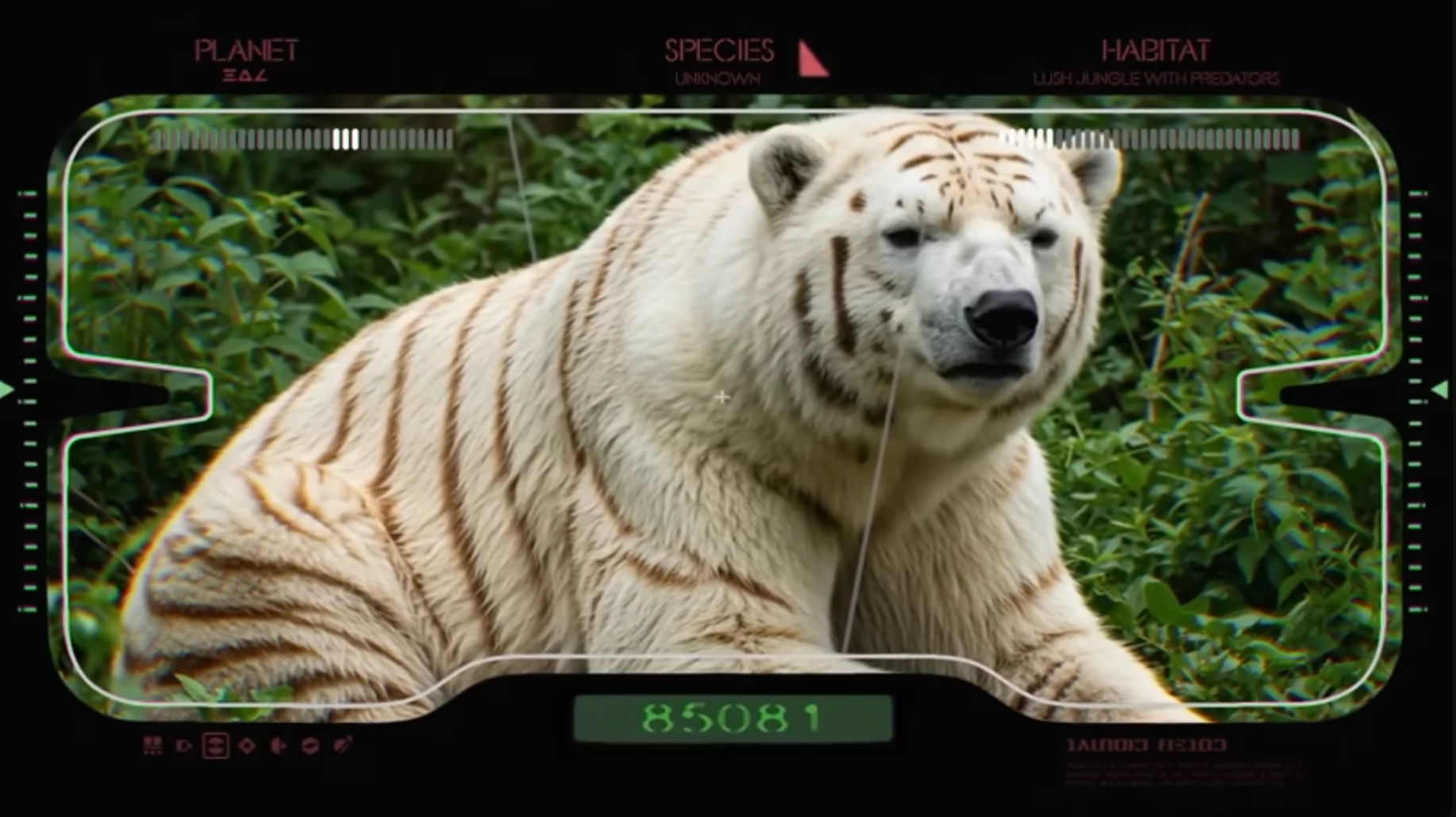
When introducing the video clip Bredow announces that it took a single artist 2 weeks to complete. But is 2 weeks actually that impressive? My first reaction was that it should be easy to create a similar video in significantly less time. So with that in mind, I'd like to try to estimate the time and effort it would take to achieve a similar product as Lucasfilm demonstrated.
Developing A Formula
I'd like to start by analyzing the initial video to determine how much content I will need to produce. The original Star Wars video consists of around 30 different clips, each about 2 or 3 seconds long. Most of the clips are hybrid animals with a few general landscape scenes. So I'd need to generate at least 30 short clips of different animal hybrids. The videos feature simple actions (camera pans, walking across a scene, etc) that are minimally dynamic (no big movements, interactions with other elements, etc), so I'll assume that I can start with still images and then animate them using an image-to-video model. Starting with still images means I can quickly generate a large variety of animal hybrids, pick the best looking ones and then create video content from those. If the process used to create the creatures is formulaic, I can automate the initial image generation process by programmatically combining different animal species, colors, and settings.
My test image generation will be done using StableDiffusion's 1.0 XL model (SDXL) and the Automatic1111 web UI. I'll automate the generation using the X/Y/Z plot scripting tools with Prompt S/R. Prompt S/R automates a find and replace process for substrings within the initial prompt. With the X/Y/Z plot script I can create a cross product of keyword combinations.
For a GPU I'll be using a 12GB NVIDIA GeForce RTX 3060. With my GPU I won't be able to generate videos locally, and I don't want to rent time on a remote GPU. But I can estimate generation times based on what other users report online. I also can't assume that every generated image and video will be useable, so I'll have to work out a formula to estimate total generation time and percentage of useable product based the text images generated.
Constructing A Base Prompt
First, I'll start by coming up with a decent base prompt before I attempt to feed it into the X/Y/Z plot script. I want a photo realistic style, so for the positive prompt I'll start with:
detailed realistic photo video camera depth of field nature documentary style
And for a negative prompt I'll use:
illustration print clipart cartoon animation painting digital art 3d computer graphics deformities glitch artifacts text watermark logo
Next I'll add keywords describing a single animal with a unique color to the positive prompt:
detailed realistic photo video camera depth of field nature documentary style purple lion
And finally I'll want some kind of background. The TED Talk video includes some text at the top of the viewfinder that says "Habitat" and "lush jungle with predators". This sounds very much like a Generative AI prompt so I'll assume that's what was used for at least some of the clips in the video. That gives me the following:
| Positive Prompt | detailed realistic photo video camera depth of field nature documentary style purple lion in lush jungle habitat |
| Negative Prompt | illustration print clipart cartoon animation painting digital art 3d computer graphics deformities glitch artifacts text watermark logo |
I'll run the positive and negative prompts at 20 sampling steps with Euler a as the sampling method and a CFG scale of 7 to generate a set of 1024 by 1024 pixel images.
I like to generate images in batches of 4 to get a decent sample size and avoid a situation where a good enough prompt just happens to generate a bad
image on the first output. Running the prompts above returns:
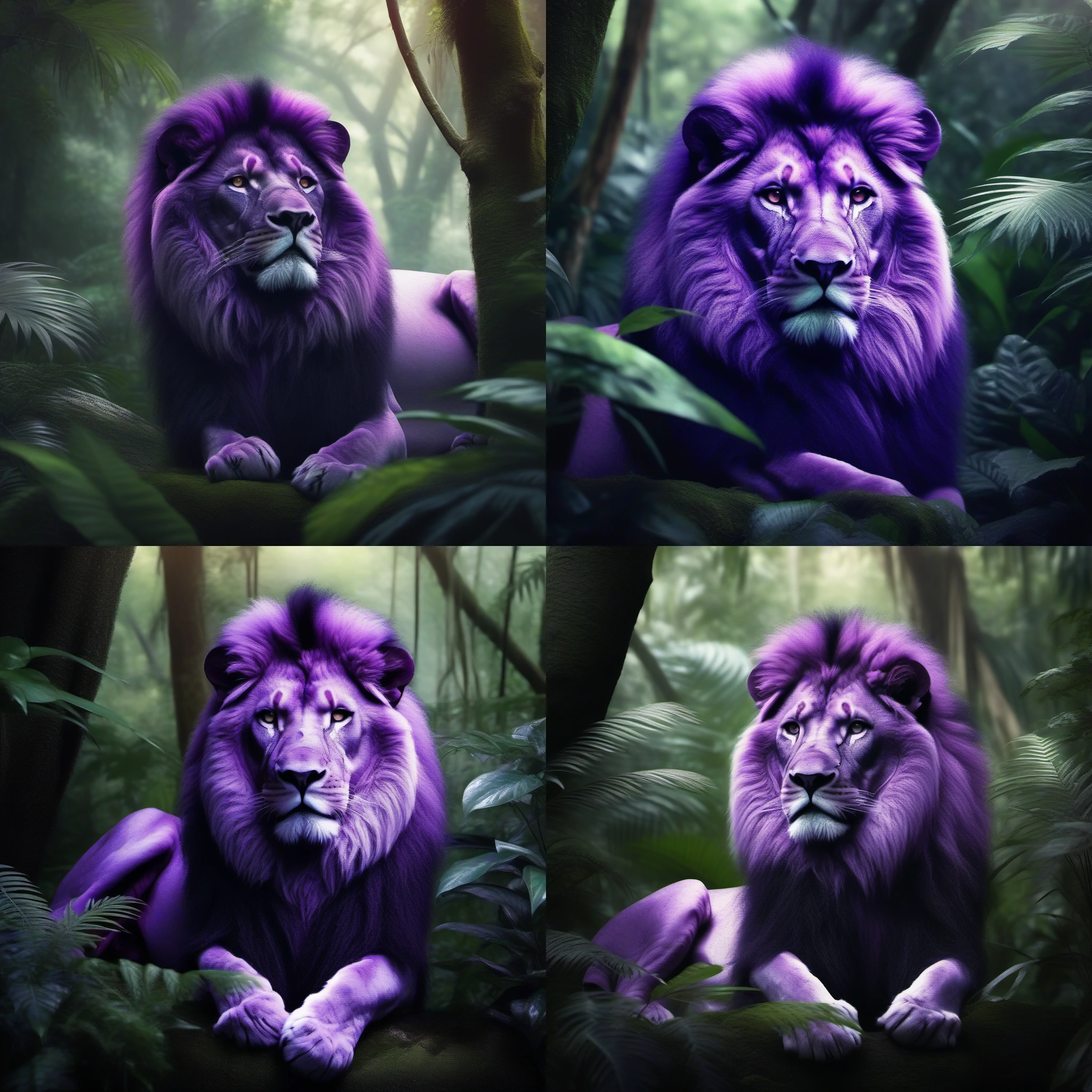
This is looking okay, but it's not exactly photo realistic. Opening up the X/Y/Z plot script, I'll try a few variations of the sampler, steps, and cfg scale. I'll also recycle the seed to rule out any seed-based variation.
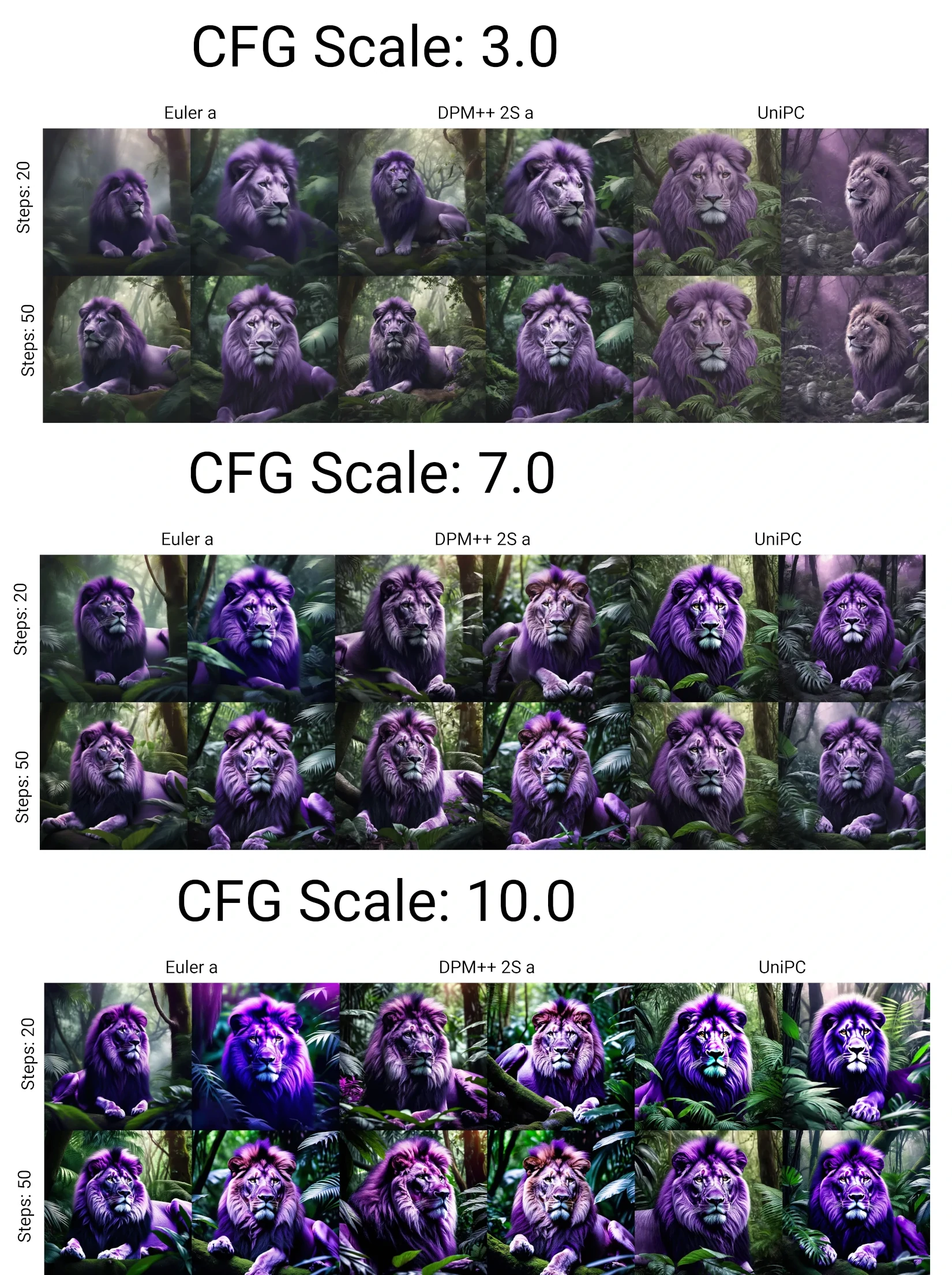
Looking through the samples, a CFG scale of somewhere between 3 and 7 is best. A CFG of 10 is too high and returns oversaturated images:
There's no significant quality difference between 20 and 50 sampling steps, so I'll stick with the lower value:
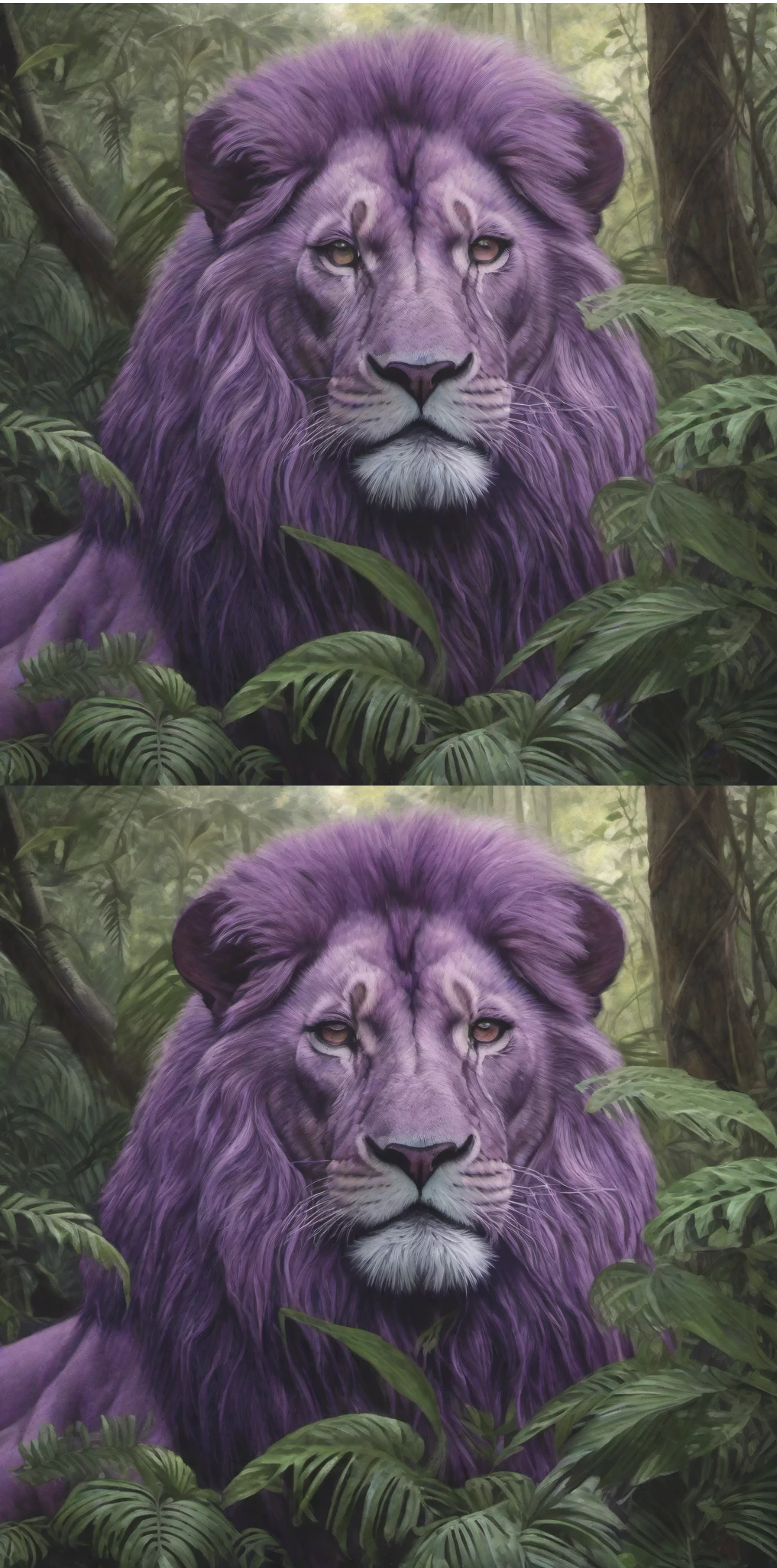
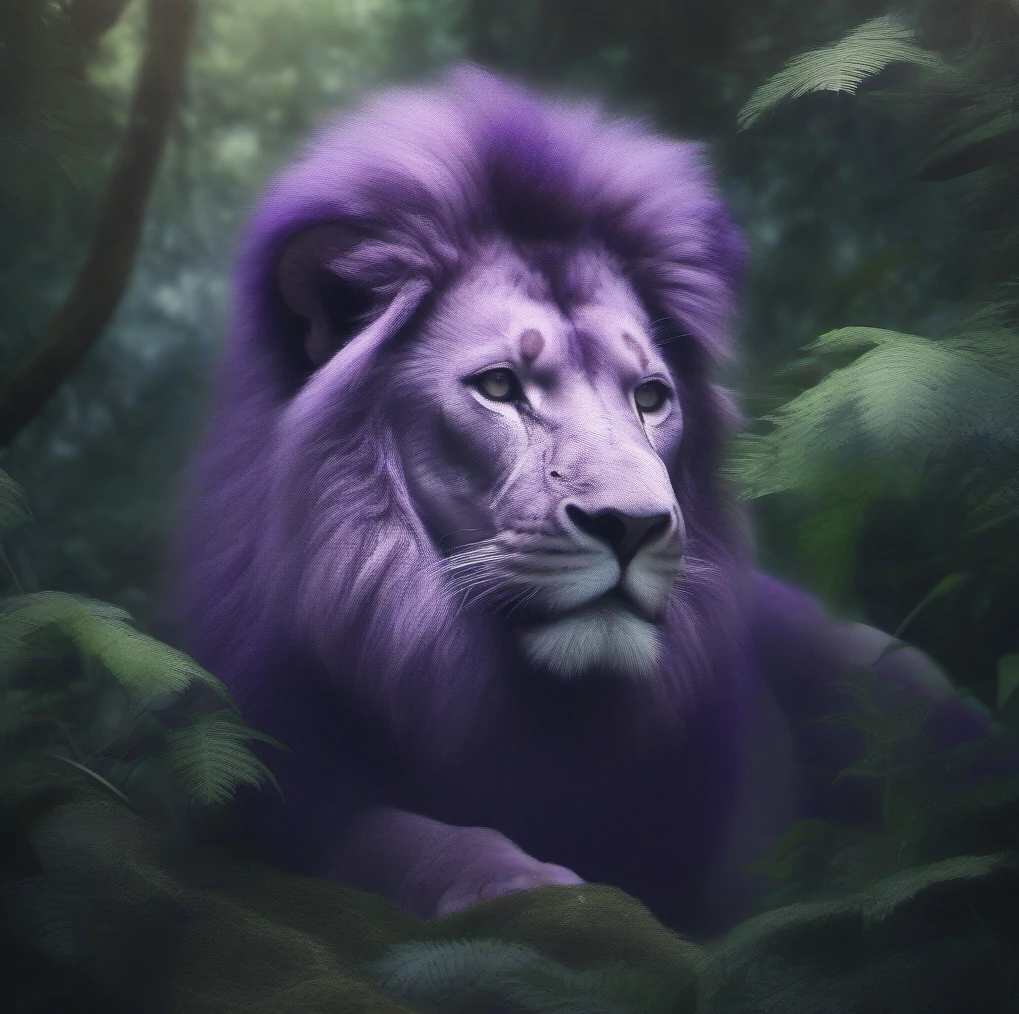
For samplers, Euler a looks too foggy and dreamlike for what I want:
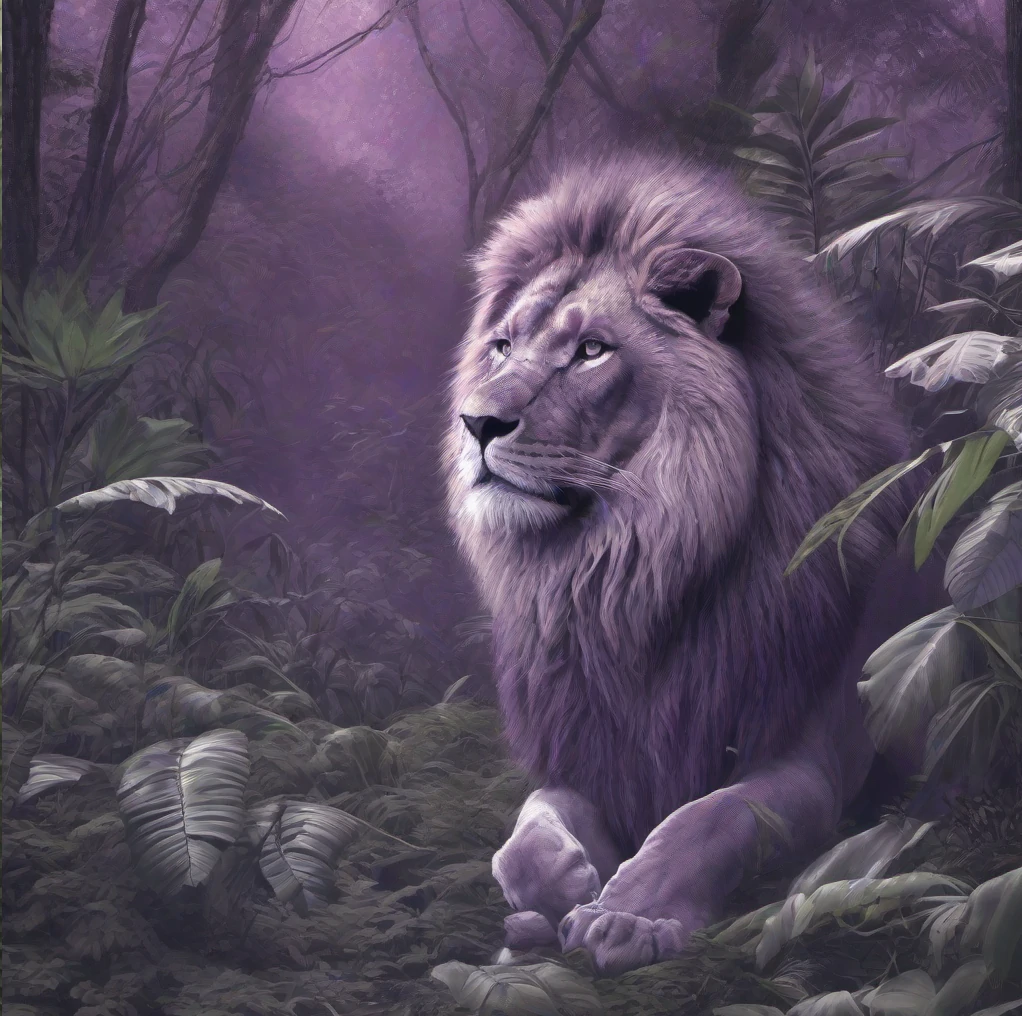
UniPC looks decent, but shows
some purple color bleeding into the background and looks more like an illustration (at least with the lower CFG scale):
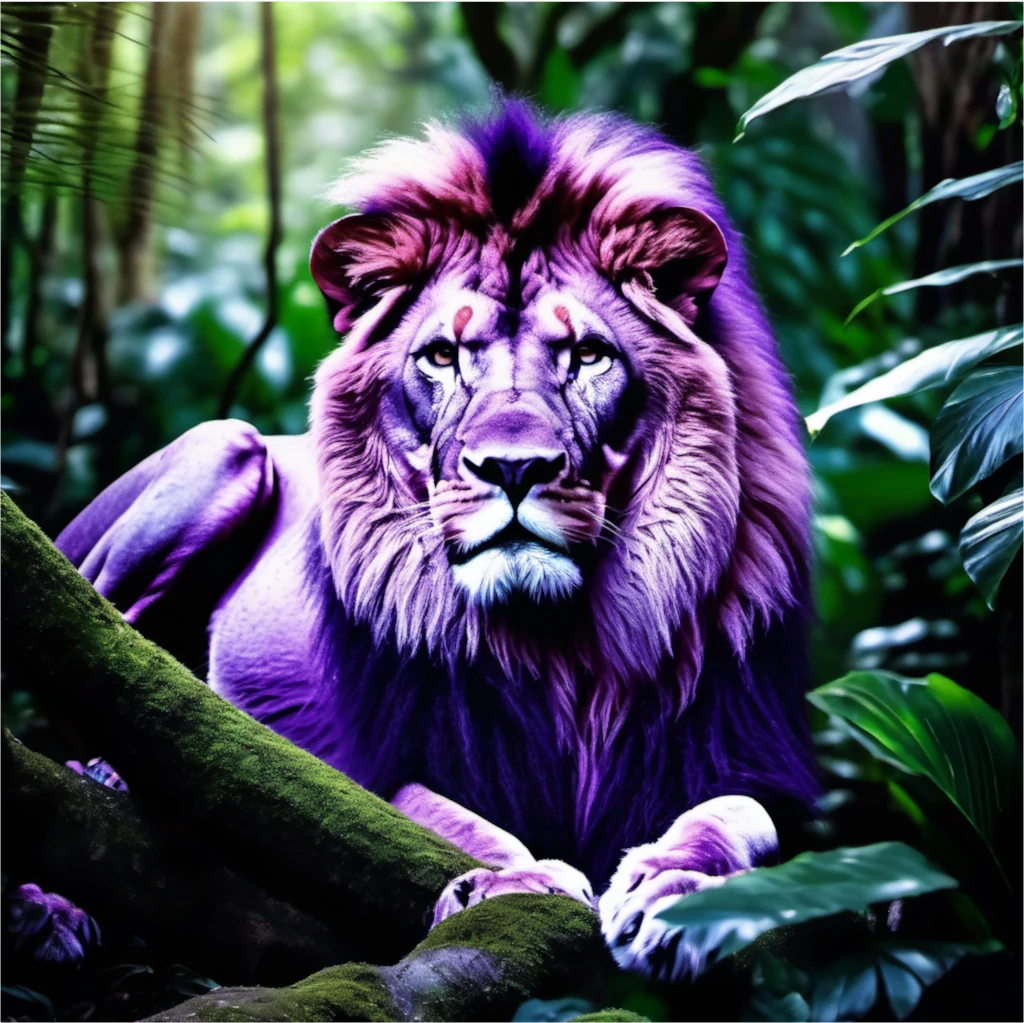
Out of the three samplers tested, I like DPM++ 2S a the best. It looks photo realistic and also gives the lion some alien looking features like a colored tuft of hair:
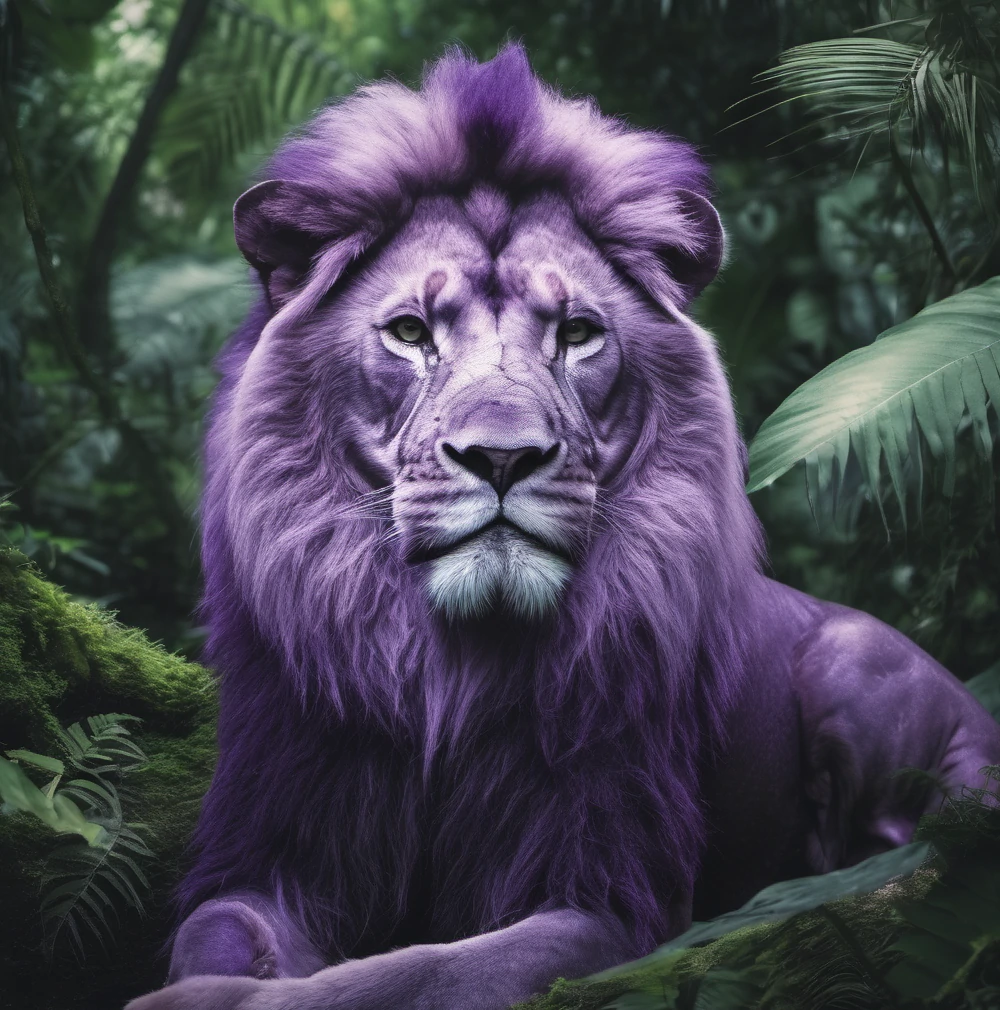
so I'll go with DPM++ 2S a for the sampler. Next, I'll try one more round of test generations between 3 and 7 CFG with the DPM++ 2S a sampler.
I'll also bump the batch size back up to 4 and use a random seed to get a broader sample of how the prompt performs with these settings.
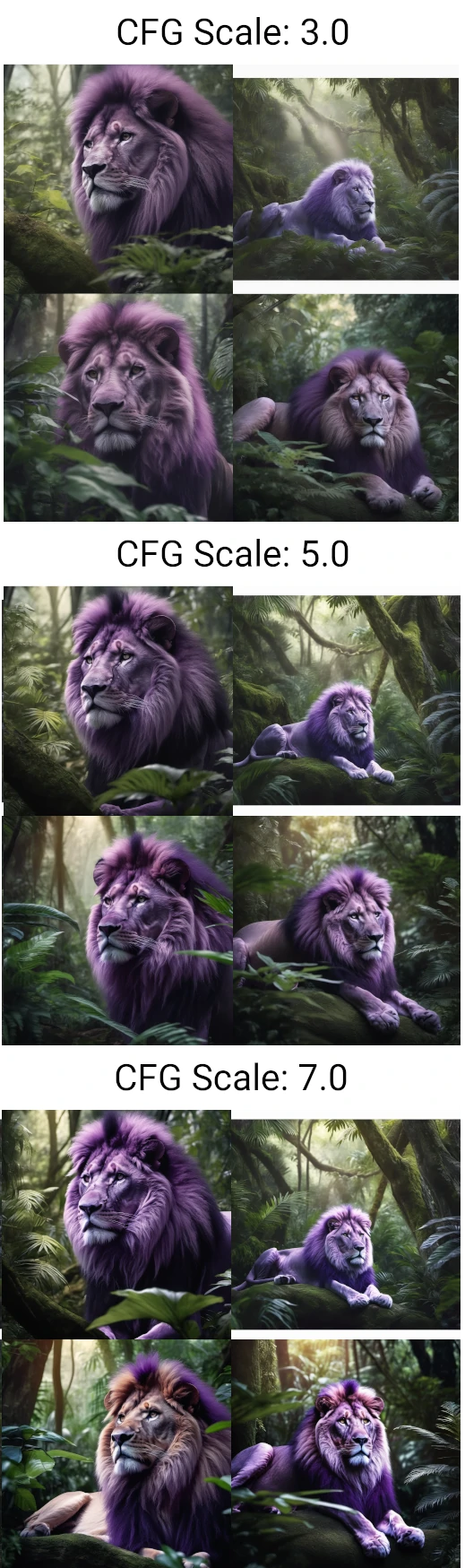
So it's looking like I can get some decent results with this prompt and settings. The CFG scale of 3 is too desaturated for what I'm going for, and a CFG scale of 7 is still too saturated and high contrast. So I'll use a CFG scale of 5. That gives me the following settings:
| Model | Stablediffusion XL 1.0 |
| Checkpoint | 31e35c80fc |
| Sample Method | DPM++ 2S a |
| Schedule Type | Automatic |
| Sampling Steps | 20 |
| CFG Scale | 5 |
| Output Dimensions | 1024x1024 |
Creating Animal Hybrids
Next step is to find a decent approach to generating animal hybrids. I can think of a couple ways to do this. I can try explicitly prompting for a "hybrid of" two animals such as hybrid of duck and lion or I can use
Automatic1111's bracket notation to indicate a mix
of two animals like [duck:lion:0.5].
First I'll try the explicit prompt approach:
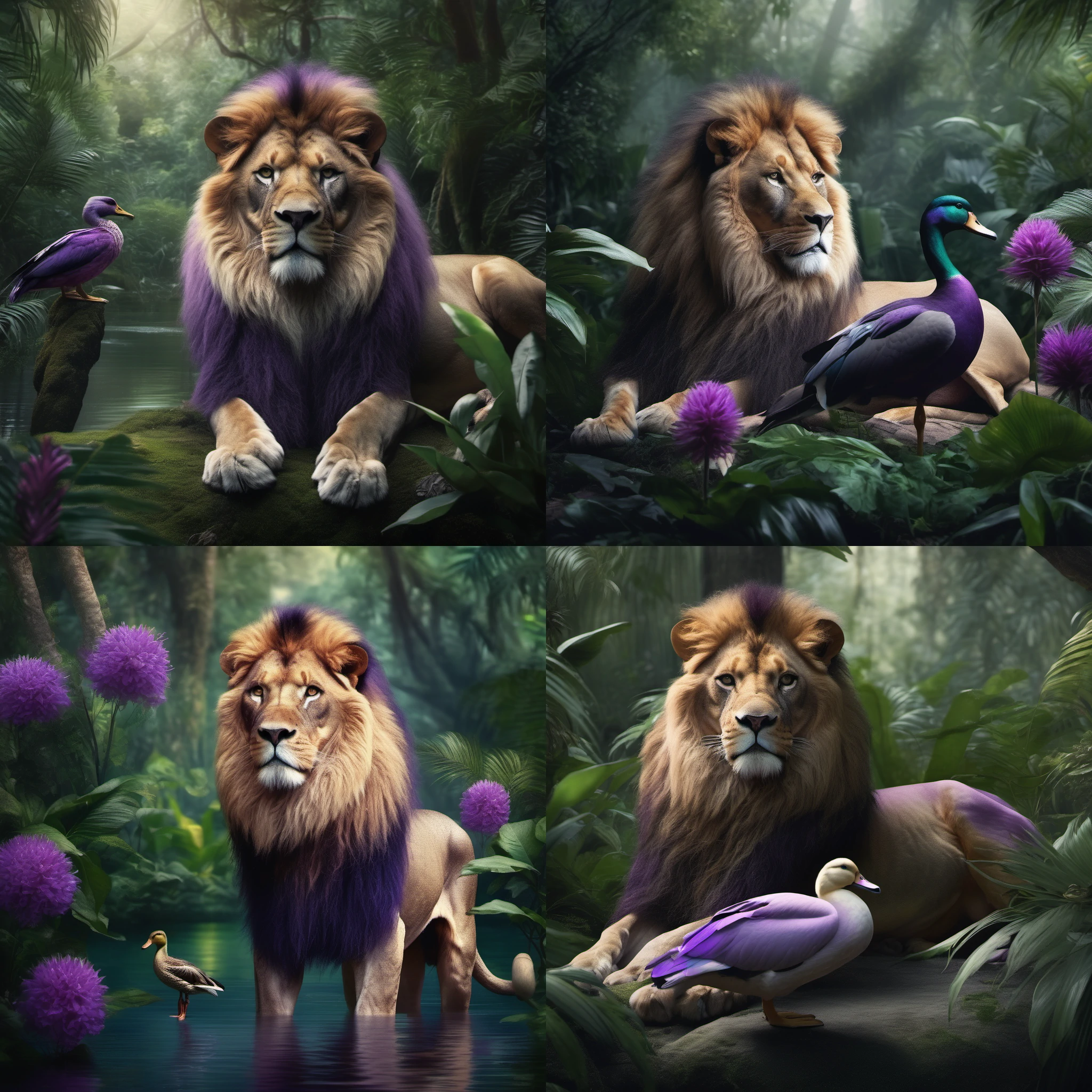
Not great. The lion and duck aren't a "hybrid" creature. Instead I just get a picture with a lion and a duck.
Next I'll try using the brackets approach:
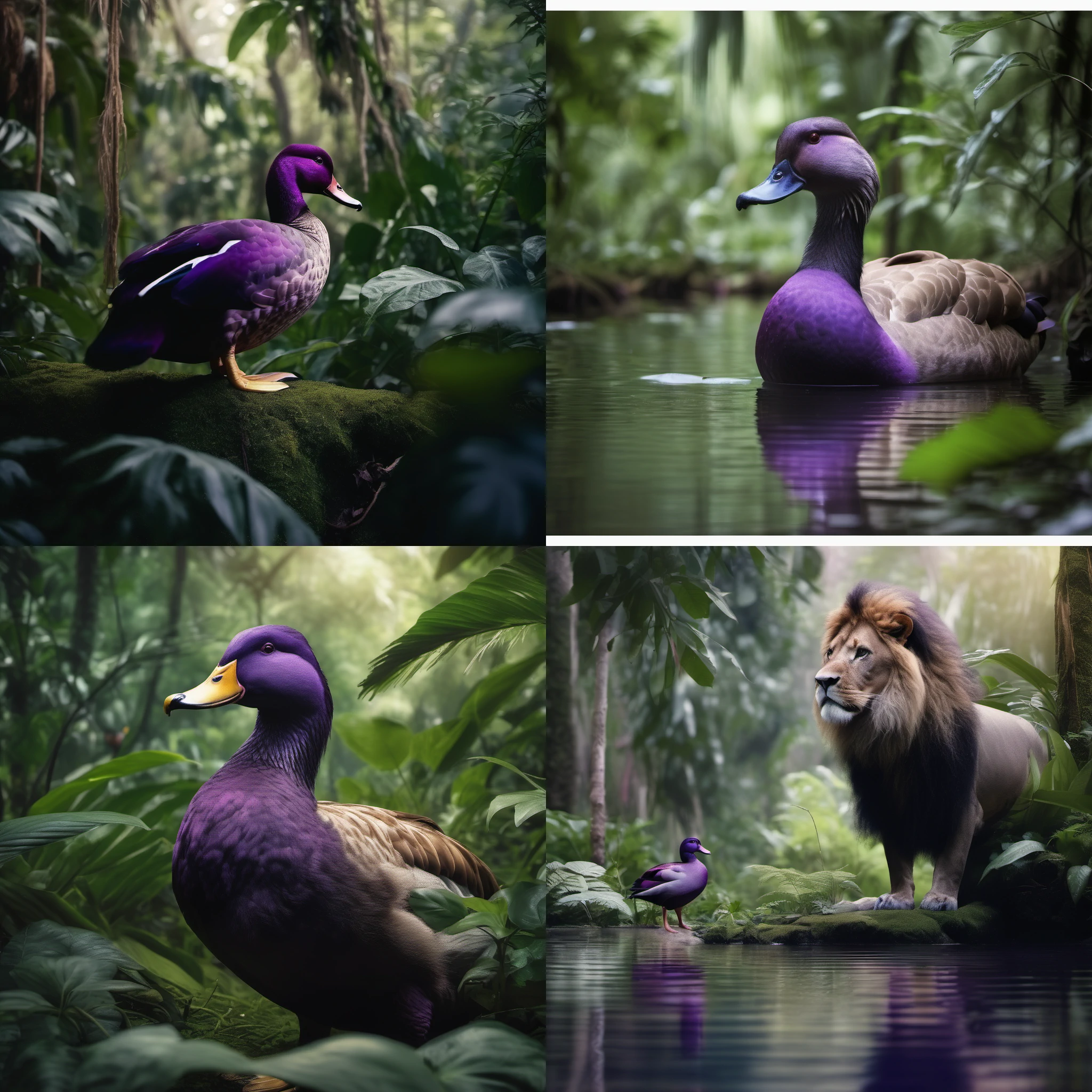
This is still not what I want. I ended up experimenting with a few different variations on the above approaches but still couldn't get what I was looking for. Eventually I decided to do a quick websearch for examples of Stable Diffusion prompts to generate hybrid animals and found a webpage on openart.ai with sample prompts for animal hybrids: These animals look much more like what I want and it seems the trick here is to use the phrase "x-y hybrid". When I try that with "lion-duck hybrid" I get the following:
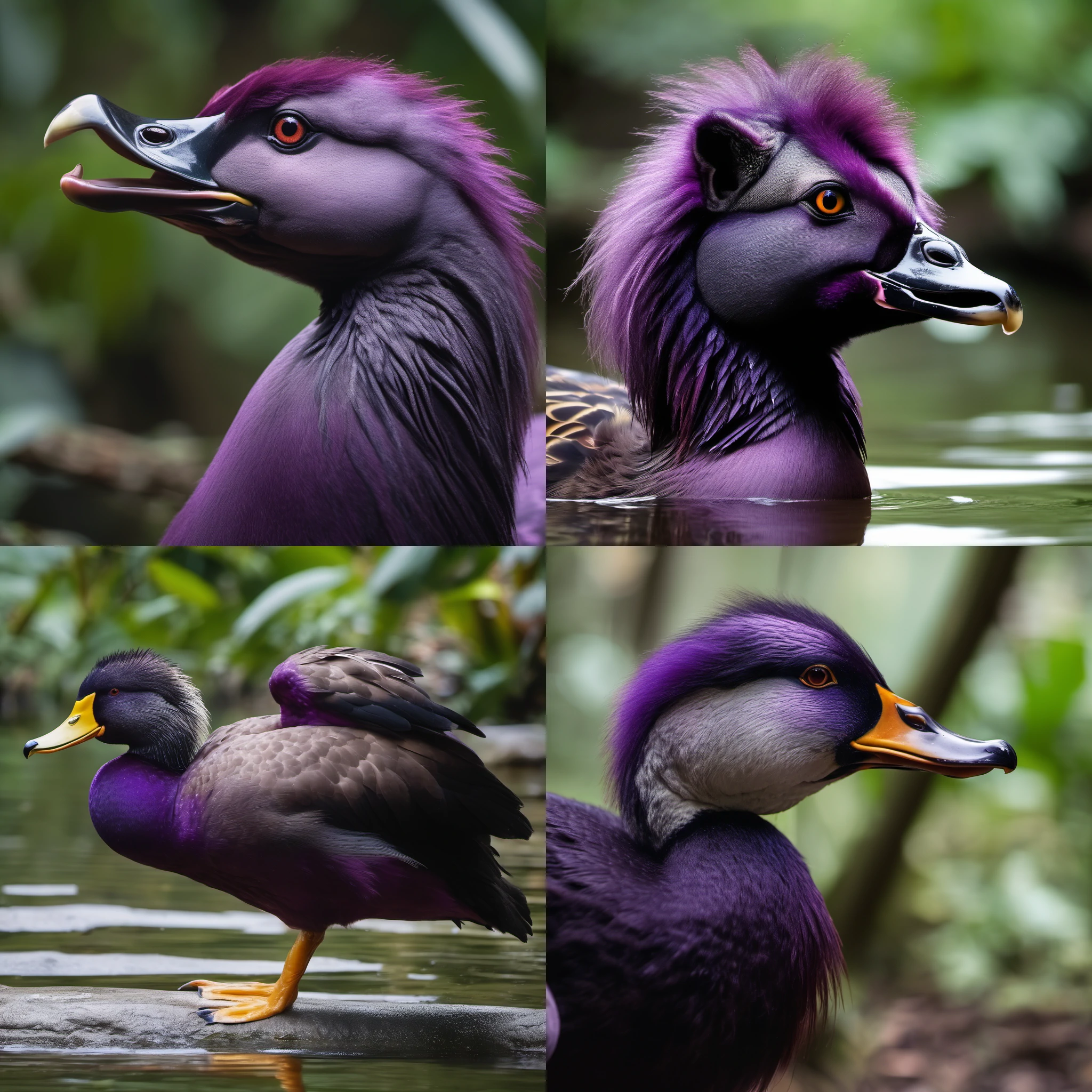
With this I feel like I'm getting somewhere. It still looks mostly like a duck, but notice it also has a bit of a mane in most of the images. The top-right image looks particularly good with a mane and lion ears. I could probably get cleaner results by including specific details describing the creature, but I'd like to keep the prompt as formulaic as possible so that I can automate production of these creatures.
One thing I can do, is try this approach with a few different animal combinations. It's possible that the combination of lion and duck is specifically problematic. So I'll re-run this prompt with X/Y/Z plot and Prompt S/R to test a few different animal combinations. I'll start with the prompt I have so far and then include the following substring sets for replacement:
| Prompt S/R - X | lion, opposum, alligator, kangaroo, manatee |
| Prompt S/R - Y | duck, opposum, alligator, kangaroo, manatee |
This will create some redundant entries like "opposum-opposum", as well as similar entries like "alligator-manatee" and "manatee-alligator". The redundant entries aren't too much of waste (only a fifth of the total product), and the similar but order-swapped entries will be useful for testing since we want to see if the order affects what our hybrid looks like. This returns the following output:
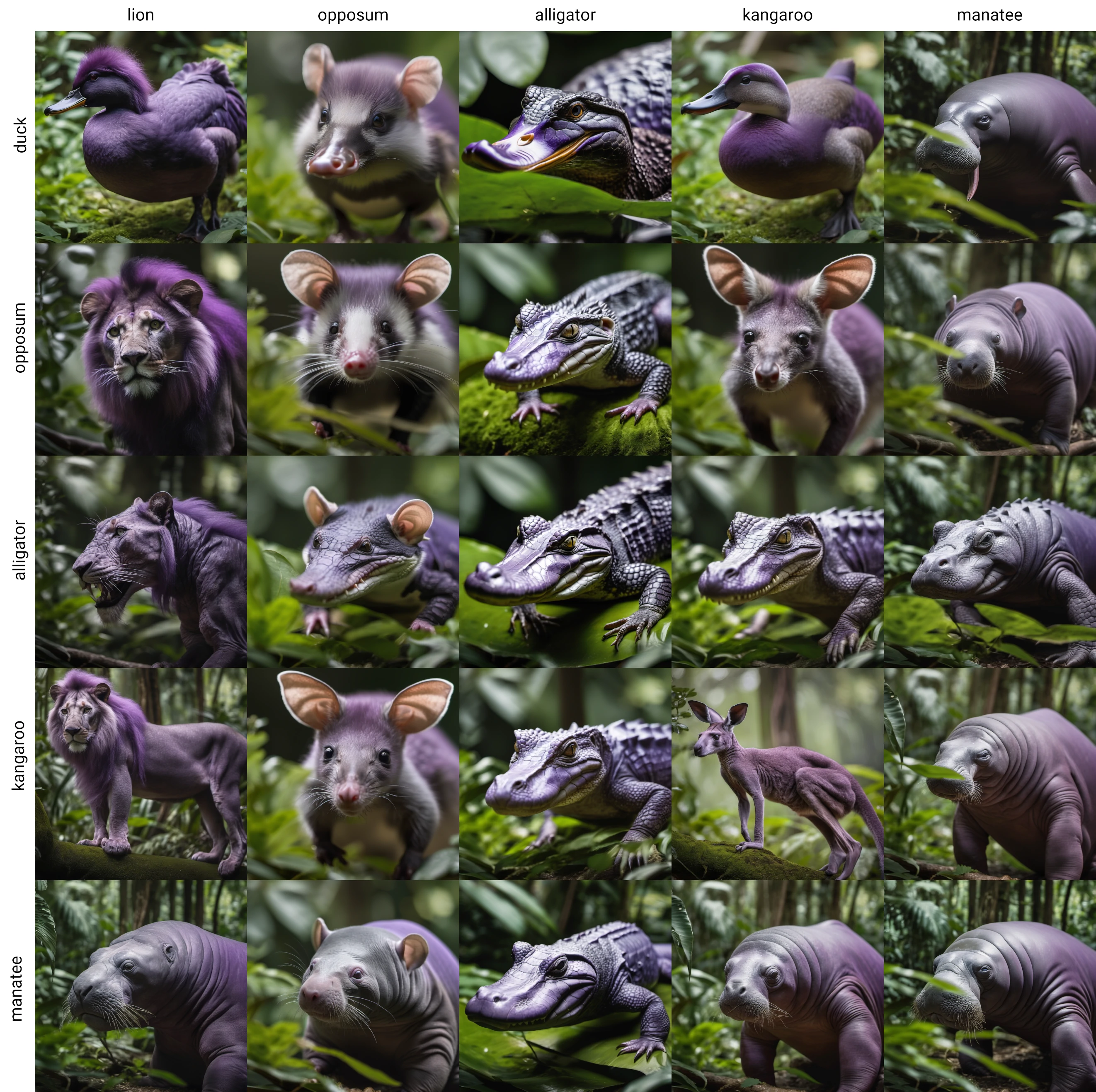
Success! With a few stylistic differences, this is very similar to the Star Wars proof of concept. The order of the animal names does affect the output, but not in any significant way. So with that in mind I'll redo the Prompt S/R sets to be unique. I'll miss out
on some combinations, but it's not necessary to do all possible combinations. For the colors I'll use a wildcard. I already have a wildcard defined with around 10 different colors so I can use that. I also want to include the hybrid animal's entire body in frame, so I'll add fullbody to the positive prompt and portrait closeup to the negative prompt.
All that along with some minor rearrangement and additional keywords to dial in on a similar style as the original video gives us:
| Positive Prompt | photo of __colors__ alligator-opposum hybrid full body BREAK nature documentary style lush jungle habitat BREAK detailed realistic 8k 4k HD DSLR depth of field dof |
| Negative Prompt | closeup portrait illustration print clipart cartoon animation painting digital art 3d computer graphics deformities glitch artifacts text watermark logo |
Doing a quick test run with the default prompts returns:
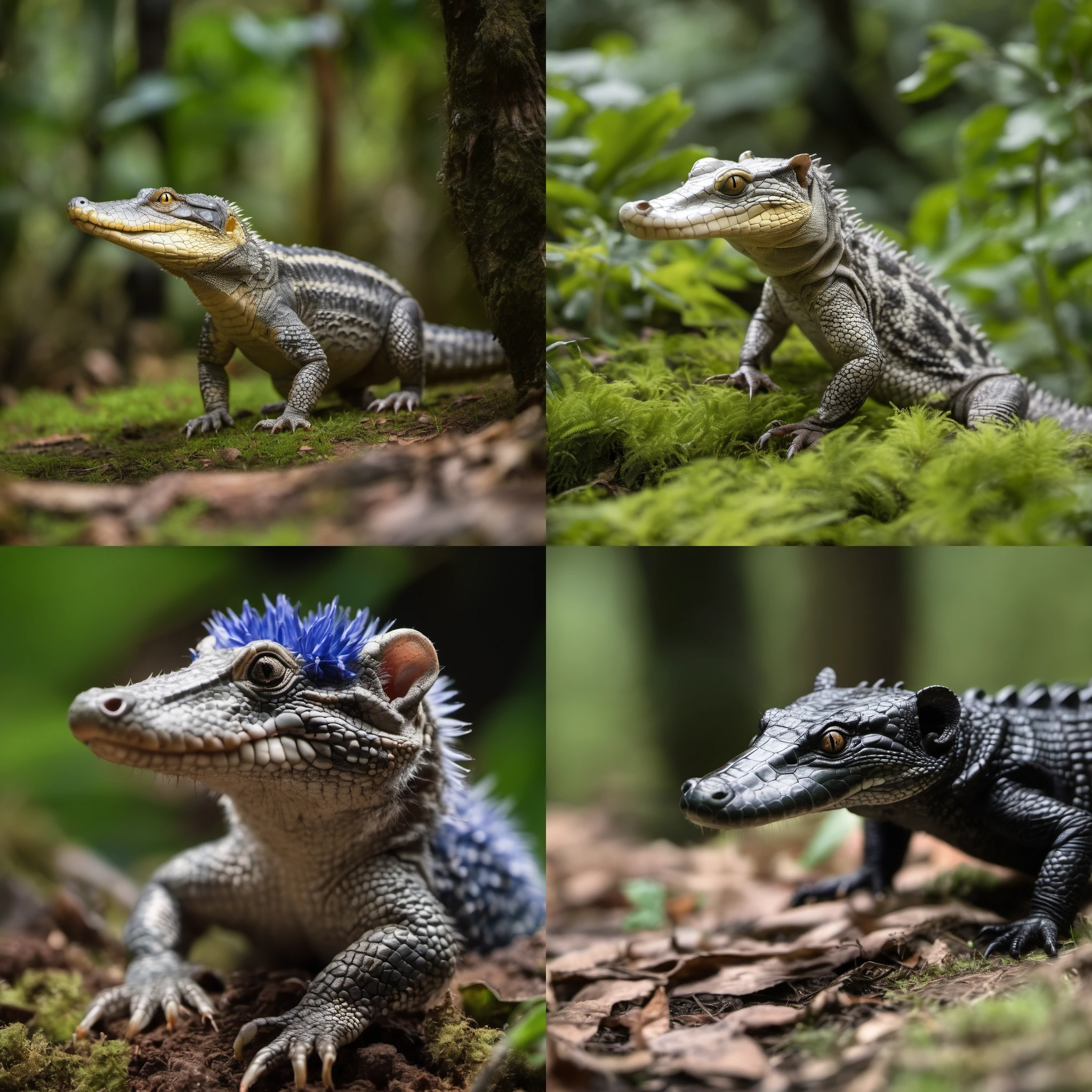
I'm happy with this output so I'll do a final run with the following setup:
| Model | Stablediffusion XL 1.0 |
| Checkpoint | 31e35c80fc |
| Positive Prompt | photo of __colors__ alligator-opposum hybrid full body BREAK nature documentary style lush jungle habitat BREAK detailed realistic 8k 4k HD DSLR depth of field dof |
| Negative Prompt | closeup portrait illustration print clipart cartoon animation painting digital art 3d computer graphics deformities glitch artifacts text watermark logo |
| Prompt S/R - X | alligator, lobster, dinosaur |
| Prompt S/R - Y | opposum, koala, manatee |
| Sample Method | DPM++ 2S a |
| Schedule Type | Automatic |
| Sampling Steps | 20 |
| Batch Size | 4 |
| CFG Scale | 5 |
| Output Dimensions | 1024x1024 |
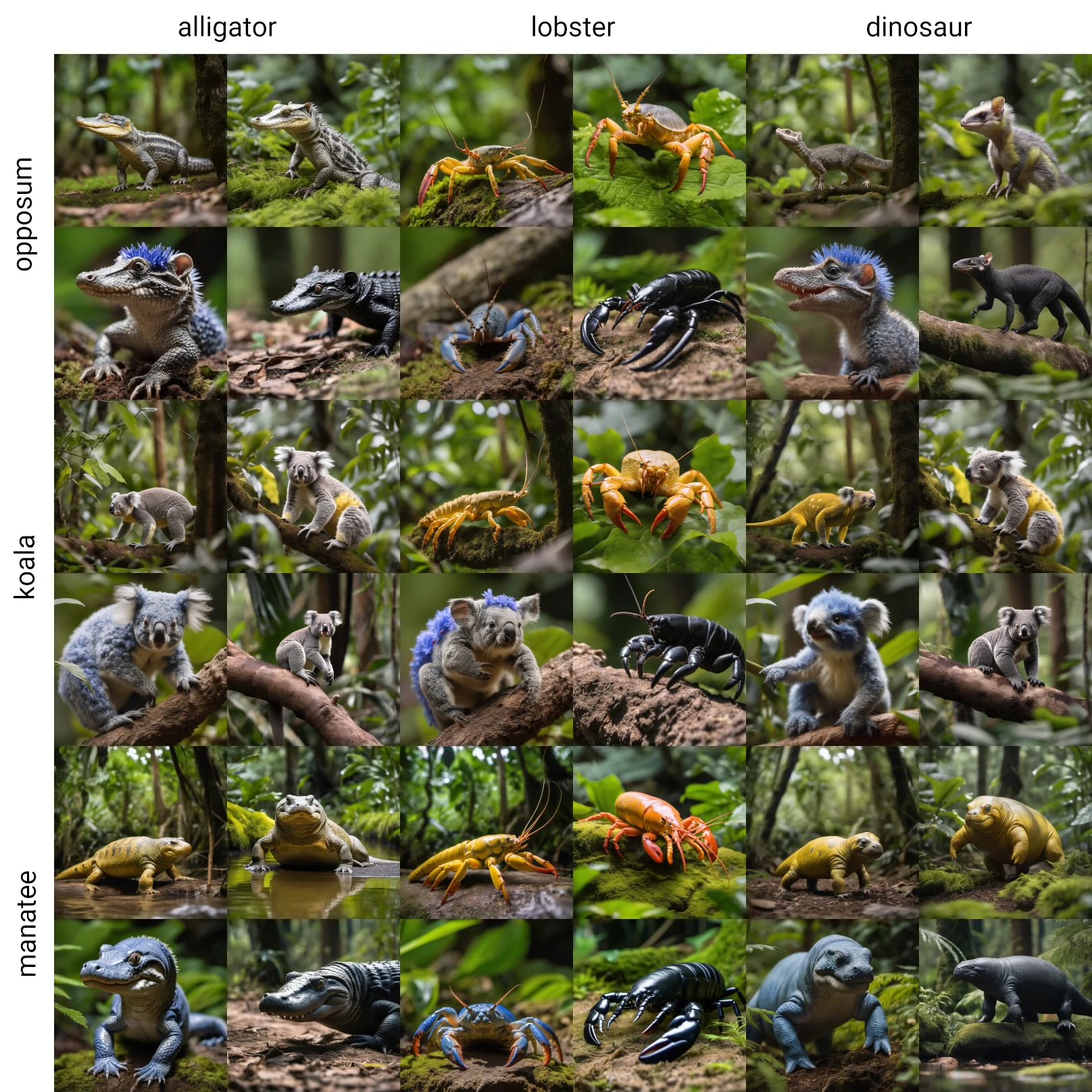
After 27 minutes, I finally have 36 images of 9 different animal hybrids:
Estimating Total Production Time
In order to estimate the total production time, I want to first find out how much time it takes on average to generate a useable and unique animal hybrid image. I could count the number of acceptable results out of the 36 images generated, but this would lead to duplicate hybrids. Instead I'll count how many of the unique hybrid batches managed to produce at least one acceptable result. I'll define an acceptable as an image that meets all of the following criteria:
- Correctly follows the prompt
- Does not contain obvious AI artifacts (blurred features, inconsistent anatomy, etc)
- Does not look like a real world, non-hybrid animal
- Is photorealistic
Out of our 9 sample batches, here are the results:
| ALLIGATOR | LOBSTER | DINOSAUR | |
| OPPOSUM | pass | fails criteria 1 and 3 | pass |
| KOALA | fails criteria 1 and 3 | fails criteria 1, 2, and 3 | pass |
| MANATEE | pass | fails criterion 3 | pass |
This gives us a success rate of 5 out of 9 for the creature hybrids. 27 minutes divided by 5 succesful batches gives us an average time of 5.4 minutes per creature hybrid. The original Star Wars example contained around 30 animal examples. I'll round up to 40 examples total. 40 animal hybrids times 5.4 minutes gives us 216 minutes of total generation time to get enough acceptable starting images for a similar video. That's 3.6 hours, so I'll round up to 4 hours in total.
Using this API documentation from A2E as a reference, it takes 10 minutes to generate a 5 second video using an image-to-video model. Since the videos in the Star Wars example are 2 to 3 seconds max, this is a good reference point. I'll assume that I would be generating a 5 second video for each chosen image which gives some buffer to trim it down to the best 2 or 3 seconds. For video generation I'll also assume a similar success rate as for the images. I had 5 acceptable generations out of 9 total batches, so that's a success rate of 56%. To be on the safe side, I would generate 3 videos for each image chosen from the previous set. That's 40 starting images times 3 generations times 10 minutes for each 5 second video. That gives a total generation time of 1200 minutes or 20 hours.
So with all that, I expect 4 hours for image generation and 20 hours for video generation. All together it would take an entire day to generate enough content to ensure enough acceptable clips for the video. This content can be generated over the night or weekend or while other work is done. After that, I would estimate it takes half a day to come up with a decent prompting pattern with a set of prompt variations to generate the necessary images. If we assume a similar time for coming up with a useful prompt for the image-to-video model that gives us another full day for "development" time. The video editing itself is straightforward, I would just need to cut out subclips from each of generated videos and stitch them together into a slide show with stock music and a viewfinder overlay. I'll assume a day of editing to put it together.
With all of the estimates combined, it's looking like it should take around 3 days to generate a similar product as what is shown in the Lucasfilm TED talk. Granted, I haven't actually created a complete duplicate of the Star Wars example. I also haven't ever done image-to-video generation, so I can't speak confidently to how much time we can expect it to take. Finally, I would also need to crop and upscale the images to get the correct ratio and resolution, although this also can be automated or done with minimal labor. At worst we can assume a week of total working and rendering time. Either way, it seems the time and labor for creating this content is minimal and two weeks is excessive.
Conclusion
At the outset, I assumed it would be quick and straightforward to at least find a useful prompt pattern for creating the hybrid animals like we saw in the Lucasfilm TED talk. At most, I spent around 6 hours of working time on finding a workable prompt pattern. Setting aside time spent on tangential tasks like notetaking, writing the initial draft of this article, and waiting for test images to render it took maybe 1 or 2 hours of active thought work to try and develop the prompt.
In the end I did have to search for an existing solution. However, I do believe that even without a ready made solution I would have eventually stumbled upon the same or a similar solution. Note that I was
very close to the necessary prompt pattern in my first test with hybrid of X and Y. It's also possible the video's artist could have used a resource similar to the OpenArt article I found.
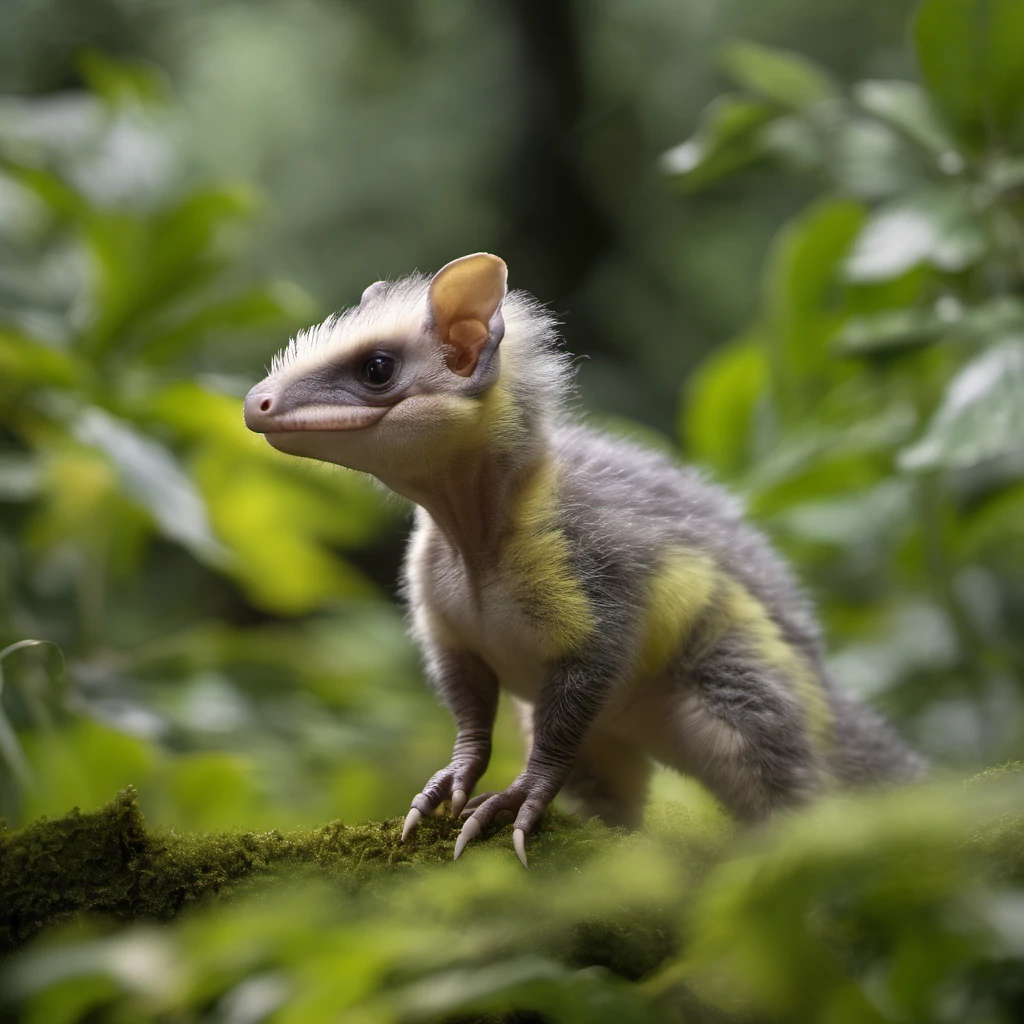
A common critique of the Star Wars AI video is that it doesn't even feel like a part of the Star Wars universe. It's a formulaic, AI slop slideshow with the title "Star Wars" tacked on at the end. This feels more egregious, when I noticed during the generation process that some creatures did seem more like they could have been found in a Star Wars movie. For example, this dinosaur-opposum hybrid:
Additionally, while re-watching the original video I noticed that some creatures don't even meet the criteria I set for myself. There are several animals that look too much like real world animals. For example, there are a couple instances of creatures that look like a blue oryx:
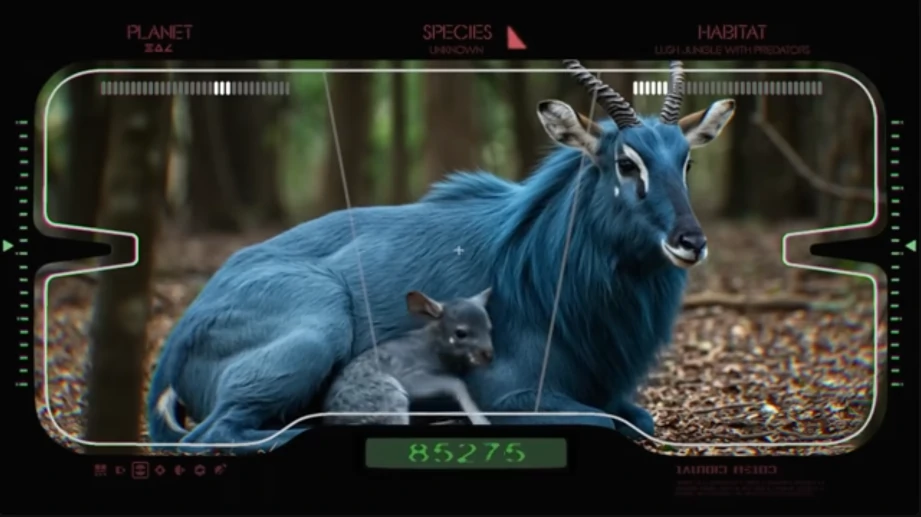
And the 12:11 mark of the video depicts a regular slow loris:
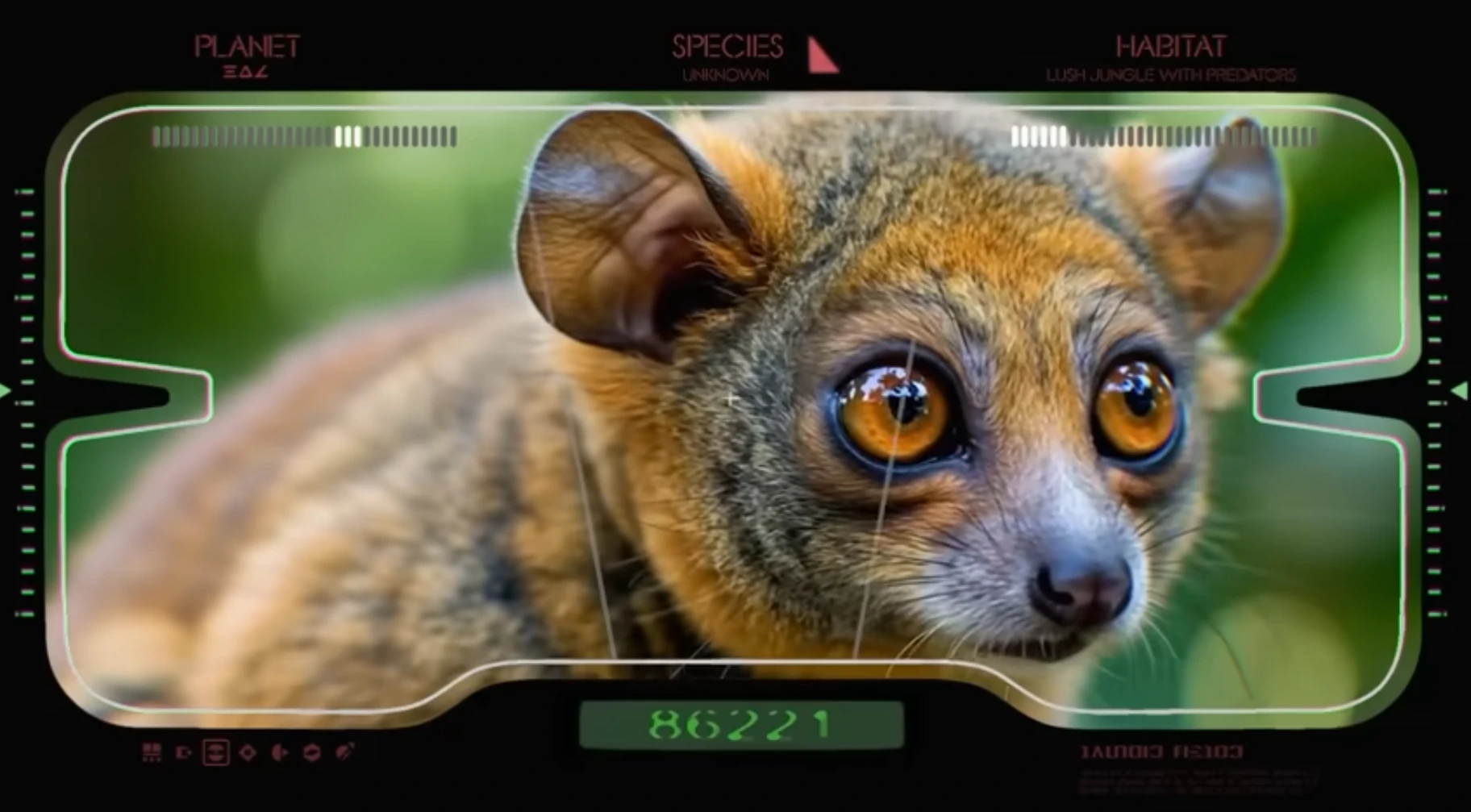
This leads into my complaint with most Generative AI showcases, not just the Lucasfilm one. Setting aside debates around whether Generative AI can ever be a suitable replacement for manual approaches, the examples given to us aren't even adequate for what Generative AI can do right now. With more planning, experimentation, and artistic vision, an AI prompter could have plausibly generated and selected for creatures that seemed more likely to exist within the Star Wars universe. They also had legal access to the entire Star Wars canon. With two weeks' time they could have gathered and labeled training data from existing Star Wars content to create a re-trained model or a LoRA tailored to the Star Wars style. But instead they are clearly following a rote prompt formula run through a standard AI model with no alterations. That might be excusable if the video were an example of what can be produced quickly, but this video took an excessively long 2 weeks to create. The problem is not just that the video is AI slop, it's that it's not even good AI slop.